
Security tips & resources
Guides that save you a callout.
Practical guides from FibrePros on NBN, cabling, Starlink, and getting more out of your home or business network.
Talk to the technician who’ll do the job.
Talk directly with a technician about your requirements and arrange a convenient callout.
The first guides are being written.
We are putting together the things we explain on site every week — why a connection drops out, where a dish should go, and what is worth checking before you book anyone.
What we’ll cover
- Diagnosing NBN dropouts
- Where a Starlink dish should sit
- WiFi coverage in brick and double-storey homes
- Choosing between Cat5e, Cat6 and Cat6a
- What a tidy cabling job looks like
Got a question you want answered here? Mention it when you call — the guides come from what people actually ask us.
Worth trying before you book
Half the callouts we take could have been sorted in ten minutes. Start here — and if none of it helps, that tells us something too.
Power cycle in order
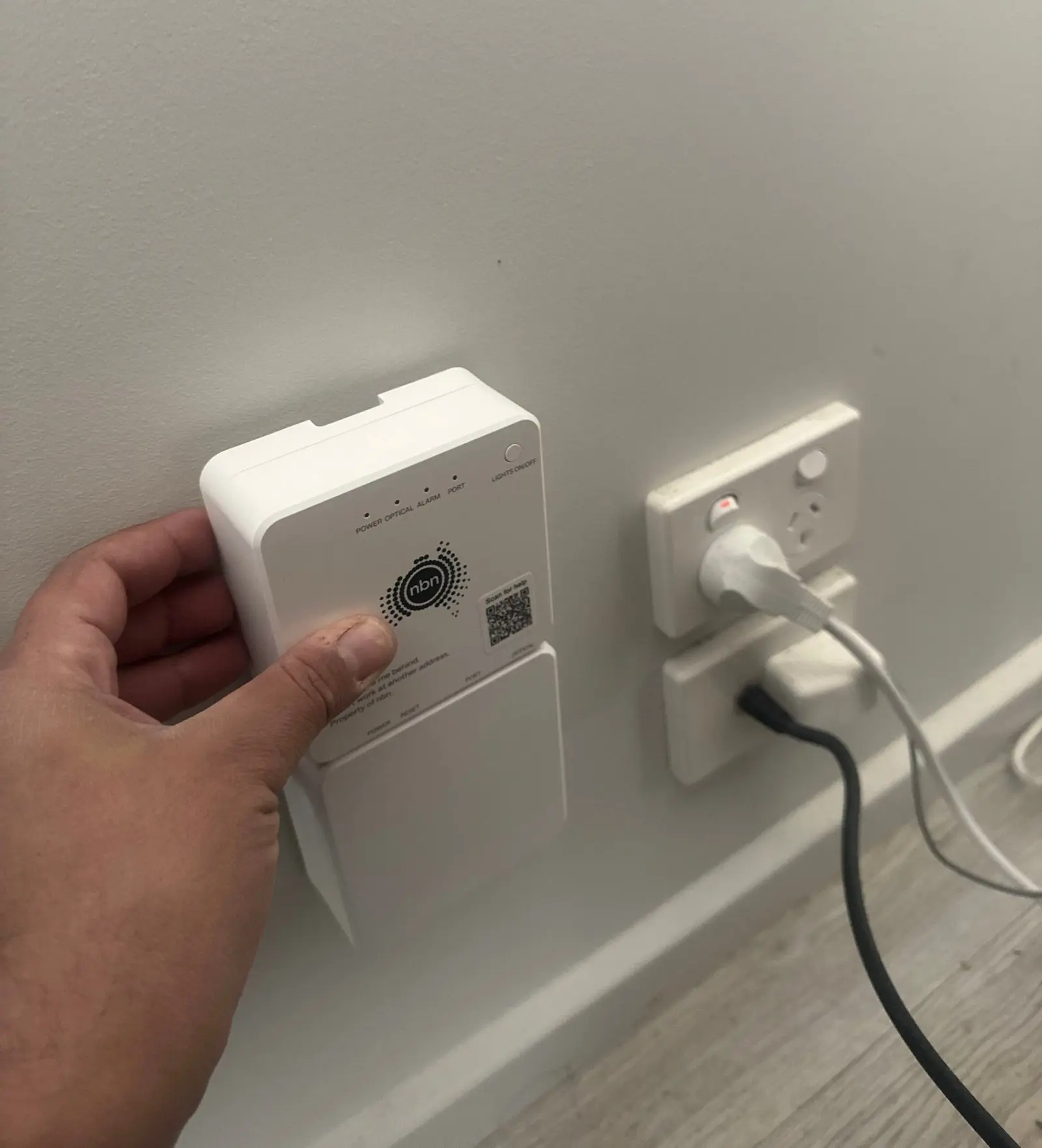
Modem or NTD off at the wall for a full minute, back on, and only then the router. Powering them up together is what leaves you with no connection.
Read the NTD lights
A red or dark optical light is a line problem, not a WiFi problem. Note which light it is before you call — it saves a visit.
Get the router off the floor
Central, waist height, out of the cupboard. Coverage often improves more from moving the router than from buying another one.
Test wired, then wireless
Plug a laptop straight into the router and run a speed test. If wired is fast and WiFi is not, the fault is coverage, not your plan.